 Listmagify
Professional playlist management for Spotify. Edit multiple playlists side-by-side with drag-and-drop.
Open source • Free to use • Your data stays with Spotify
This app is currently in Spotify development mode and can only be used by a limited number of approved users.
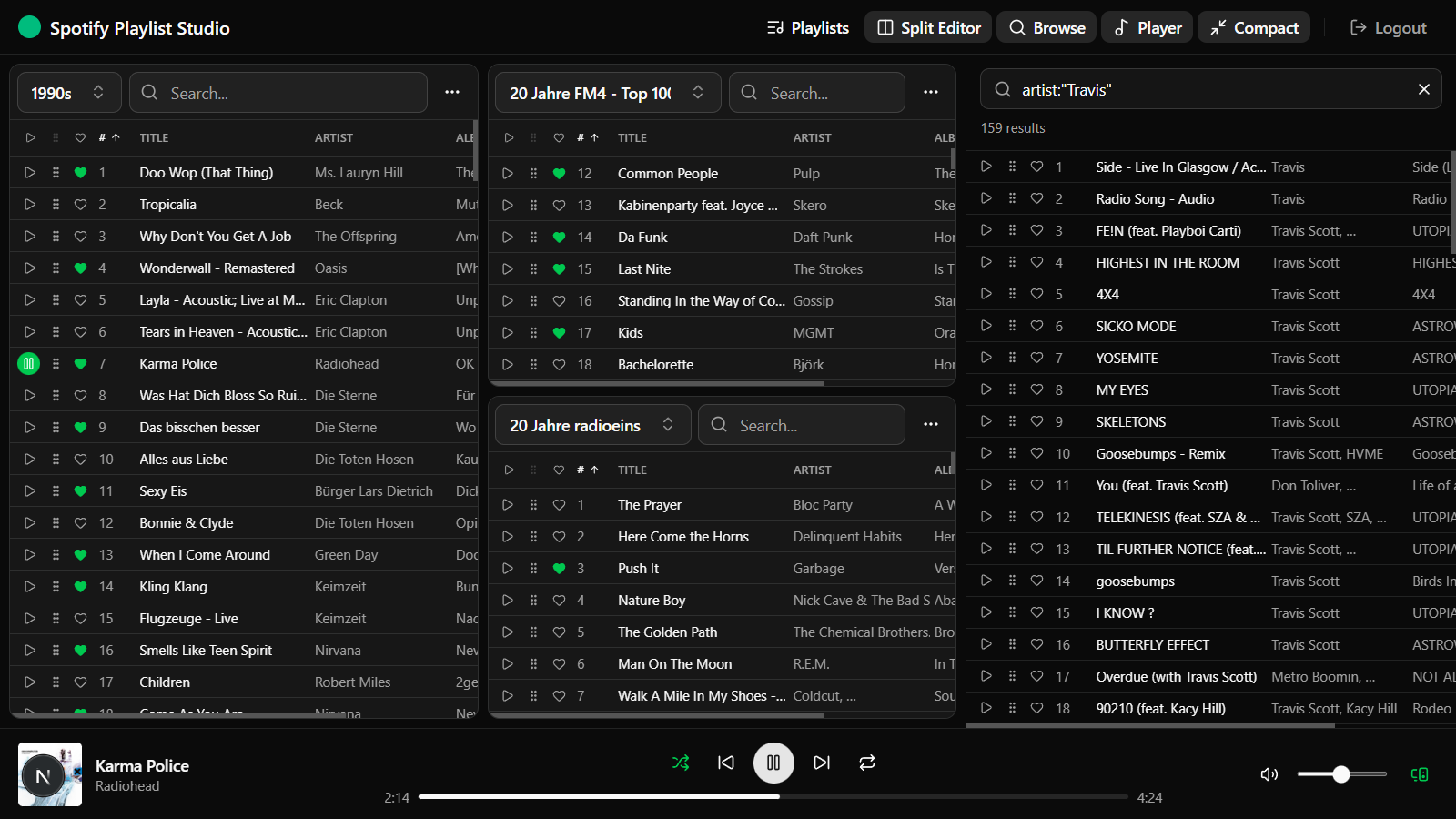
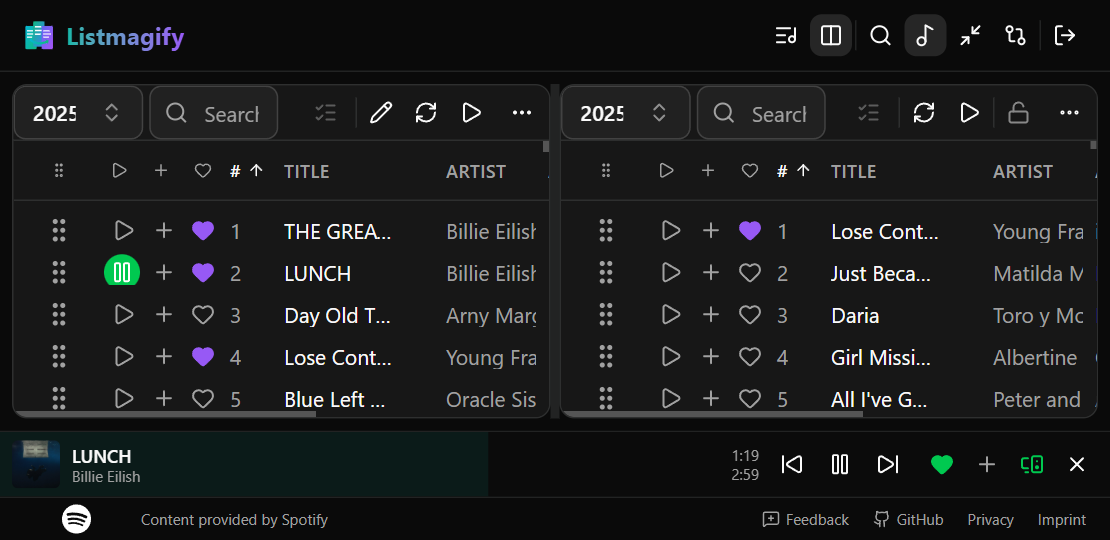
Edit multiple playlists simultaneously with the split panel editor
Everything you need to master your playlists
Multi-Panel Editor
Work with multiple playlists side-by-side. Split panels horizontally or vertically to compare and organize your music.
Drag & Drop
Effortlessly move tracks between playlists or reorder within a playlist. Copy or move mode with visual feedback.
Bulk Operations
Select multiple tracks and move, copy, or delete them at once. Perfect for large playlist reorganization.
Smart Search
Instantly filter tracks by title, artist, or album. Find what you're looking for across thousands of tracks.
Compare Mode
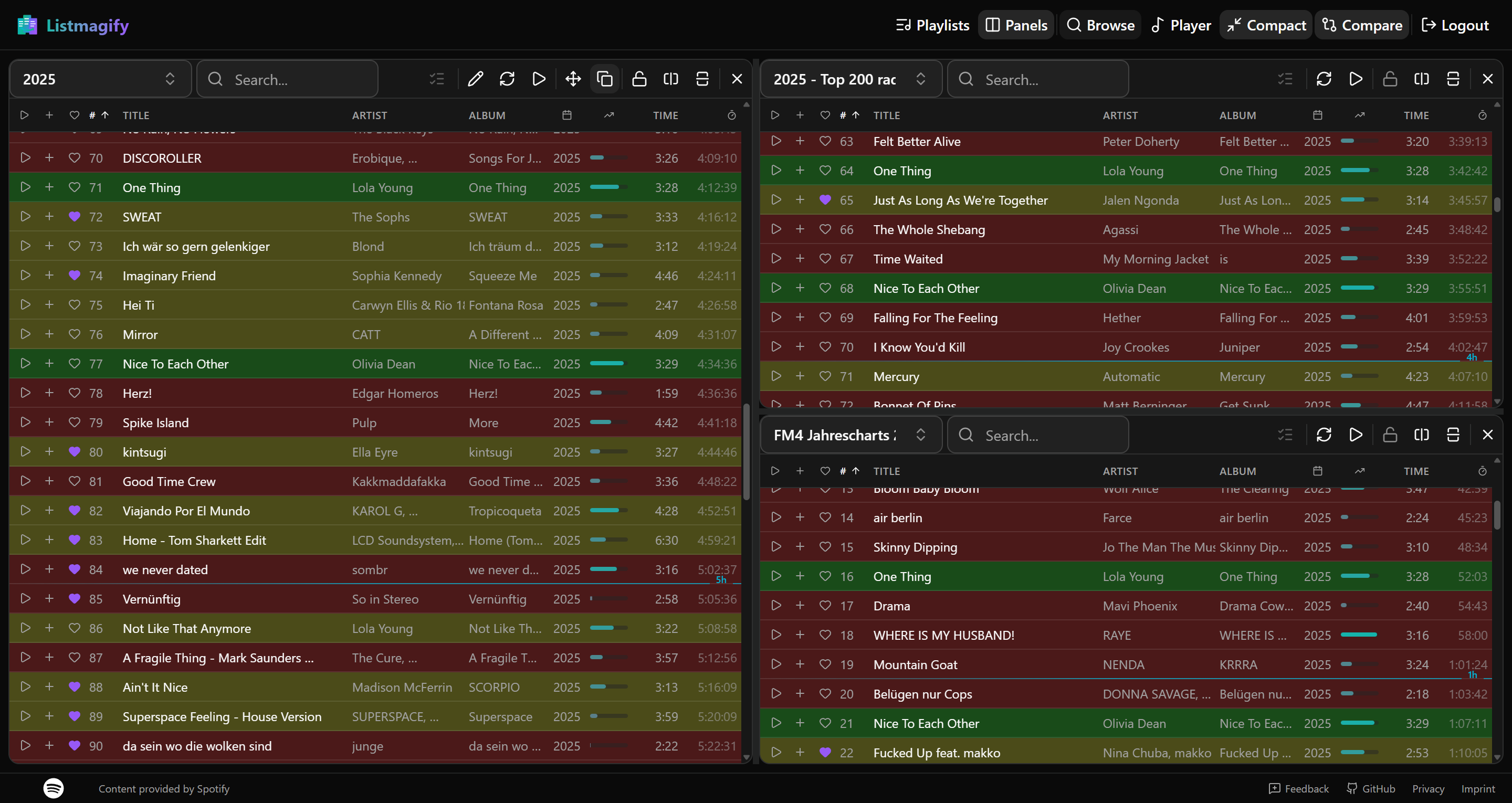
Visualize track distribution across playlists with intelligent color coding. Green shows tracks in all playlists, red shows unique tracks, and yellow indicates partial presence.
Mobile Optimized
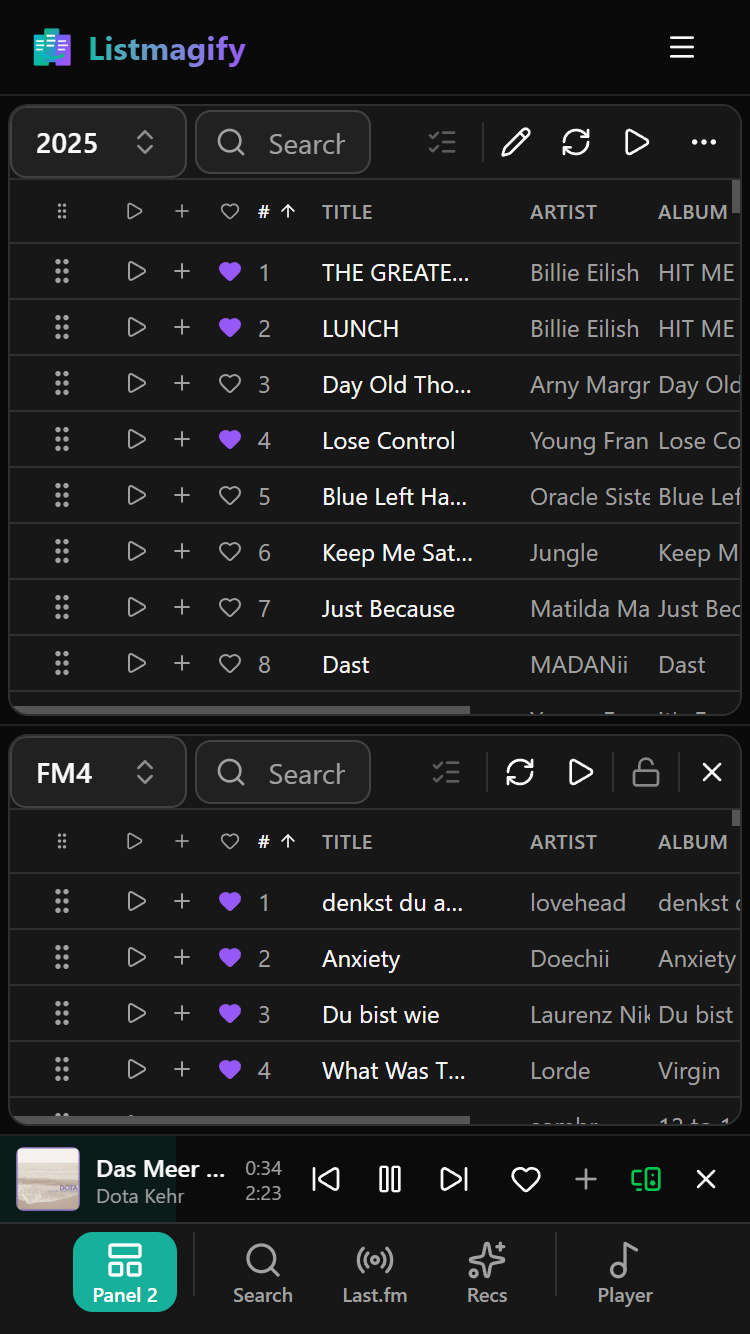
Fully responsive design with touch-friendly controls. Install as a PWA for native app experience on phones and tablets.
Integrated Player
Preview any track instantly with the built-in Spotify player. No need to switch apps to check a song.
Last.fm Import
Import tracks from your Last.fm listening history. Browse loved tracks, top tracks, and weekly charts with automatic Spotify matching.
Flexible Sorting & Save Order
Sort by position, title, artist, album, duration, or date added. Save any sorted view permanently as the new playlist order.
Insert at Markers
Mark multiple positions across playlists, then insert selected tracks at all marked locations simultaneously. Perfect for building DJ sets.
Compact Mode
Toggle compact view to see more tracks at once. Perfect for large playlists and smaller screens.
Scroll Text
Auto-scroll overflowing track labels horizontally for better readability. Hover to pause and click artist or album links.
Smart Recommendations
Get AI-powered track suggestions based on your playlist patterns. The more you use it, the smarter it gets.
Safe Editing
Lock panels to prevent accidental changes. All edits sync directly with Spotify in real-time.
See it in action
Split Editor
Edit multiple playlists side-by-side with intuitive drag-and-drop. Split panels horizontally or vertically to compare, organize, and move tracks between playlists effortlessly. Lock panels to prevent accidental changes and work with confidence.
Playlists Management
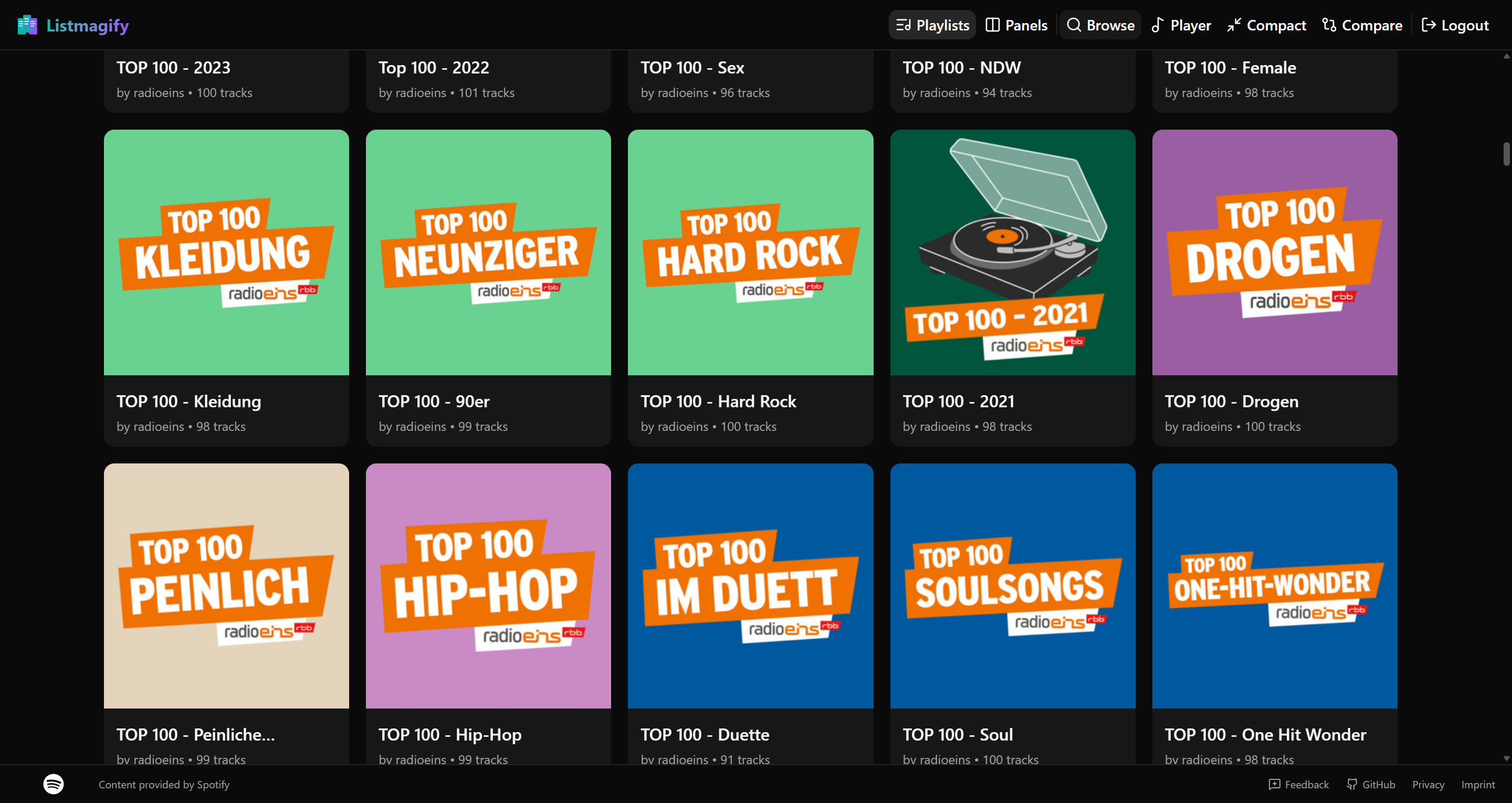
Browse all your Spotify playlists in one organized view. Search, filter, and quickly access any playlist to start editing. See playlist details including track count, duration, and last modified date at a glance.
Note: The Spotify API does not support playlist folders, so all playlists are displayed in a flat list.
Compare Mode
Visualize track distribution across multiple playlists with intelligent color coding. Green highlights tracks present in all playlists, red shows unique tracks, and yellow indicates partial presence. Perfect for finding duplicates or discovering which tracks to share between collections.
Mobile Experience
Fully responsive design optimized for phones and tablets. Edit playlists on the go with touch-friendly controls. Install as a Progressive Web App for a native app experience with offline support.
Perfect for every playlist workflow
🎧 DJs & Party Planners
Organize setlists by genre, energy level, or event. Quickly move tracks between themed playlists and preview songs before your gig.
🎵 Music Curators
Maintain multiple genre playlists efficiently. Deduplicate, reorganize, and keep your collections fresh with bulk operations.
🏃 Fitness Enthusiasts
Build the perfect workout playlists. Organize high-energy tracks, copy favorites between sessions, and keep your motivation music ready to go.
📚 Mood & Activity Playlists
Create playlists for work, study, relaxation, or travel. Drag tracks from your Liked Songs into themed collections.
Ready to take control of your playlists?
Sign in with Spotify to start organizing your music. No account creation needed – just connect and go.
Listmagify is free and open source. Check out the code, report issues, or contribute on GitHub.
View on GitHub