 Listmagify
Professional playlist management for Spotify. Edit multiple playlists side-by-side with drag-and-drop.
Free to use • Requires Spotify account • Your data stays with Spotify
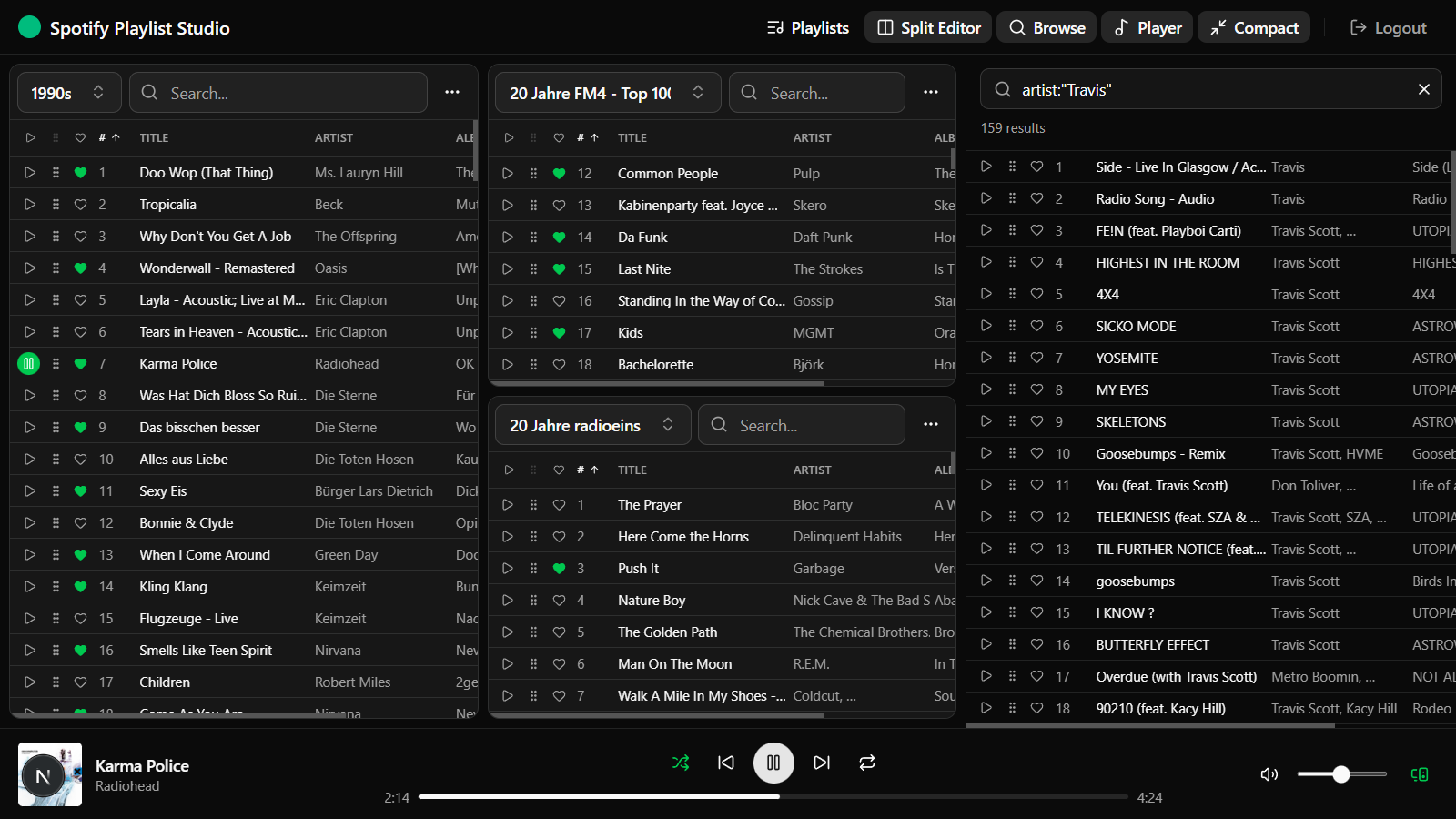
Edit multiple playlists simultaneously with the split panel editor
Everything you need to master your playlists
Multi-Panel Editor
Work with multiple playlists side-by-side. Split panels horizontally or vertically to compare and organize your music.
Drag & Drop
Effortlessly move tracks between playlists or reorder within a playlist. Copy or move mode with visual feedback.
Smart Search
Instantly filter tracks by title, artist, or album. Find what you're looking for across thousands of tracks.
Flexible Sorting
Sort by position, title, artist, album, duration, or date added. Ascending or descending with one click.
Bulk Operations
Select multiple tracks and move, copy, or delete them at once. Perfect for large playlist reorganization.
Liked Songs Access
Browse and search your entire Liked Songs library. Copy favorites directly into any playlist.
Integrated Player
Preview any track instantly with the built-in Spotify player. No need to switch apps to check a song.
Compact Mode
Toggle compact view to see more tracks at once. Perfect for large playlists and smaller screens.
Safe Editing
Lock panels to prevent accidental changes. All edits sync directly with Spotify in real-time.
Perfect for every playlist workflow
🎧 DJs & Party Planners
Organize setlists by genre, energy level, or event. Quickly move tracks between themed playlists and preview songs before your gig.
🎵 Music Curators
Maintain multiple genre playlists efficiently. Deduplicate, reorganize, and keep your collections fresh with bulk operations.
🏃 Fitness Enthusiasts
Build the perfect workout playlists. Organize high-energy tracks, copy favorites between sessions, and keep your motivation music ready to go.
📚 Mood & Activity Playlists
Create playlists for work, study, relaxation, or travel. Drag tracks from your Liked Songs into themed collections.
Ready to take control of your playlists?
Sign in with Spotify to start organizing your music. No account creation needed – just connect and go.